> For the complete documentation index, see [llms.txt](https://echelp.weaver.com.co/llms.txt). Markdown versions of documentation pages are available by appending `.md` to page URLs; this page is available as [Markdown](https://echelp.weaver.com.co/daily-work-report/backend-maintenance/sharing-permissions-settings.md).
# Sharing Permissions Settings
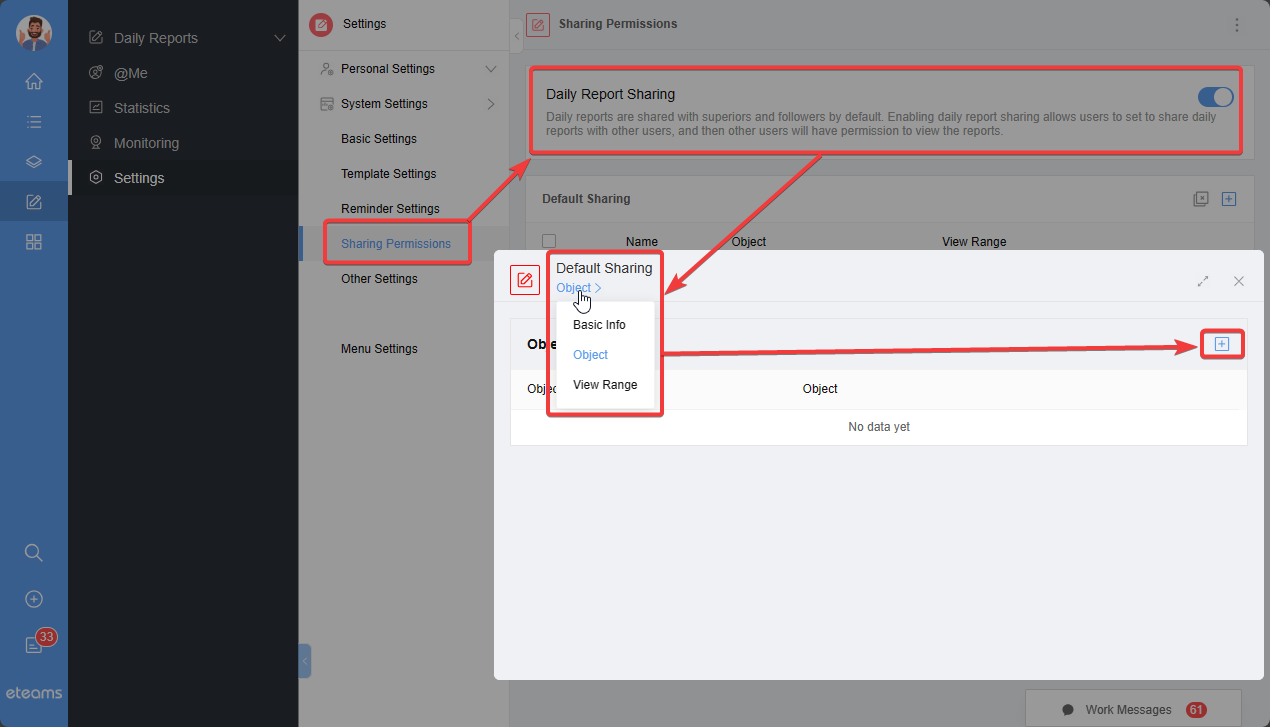
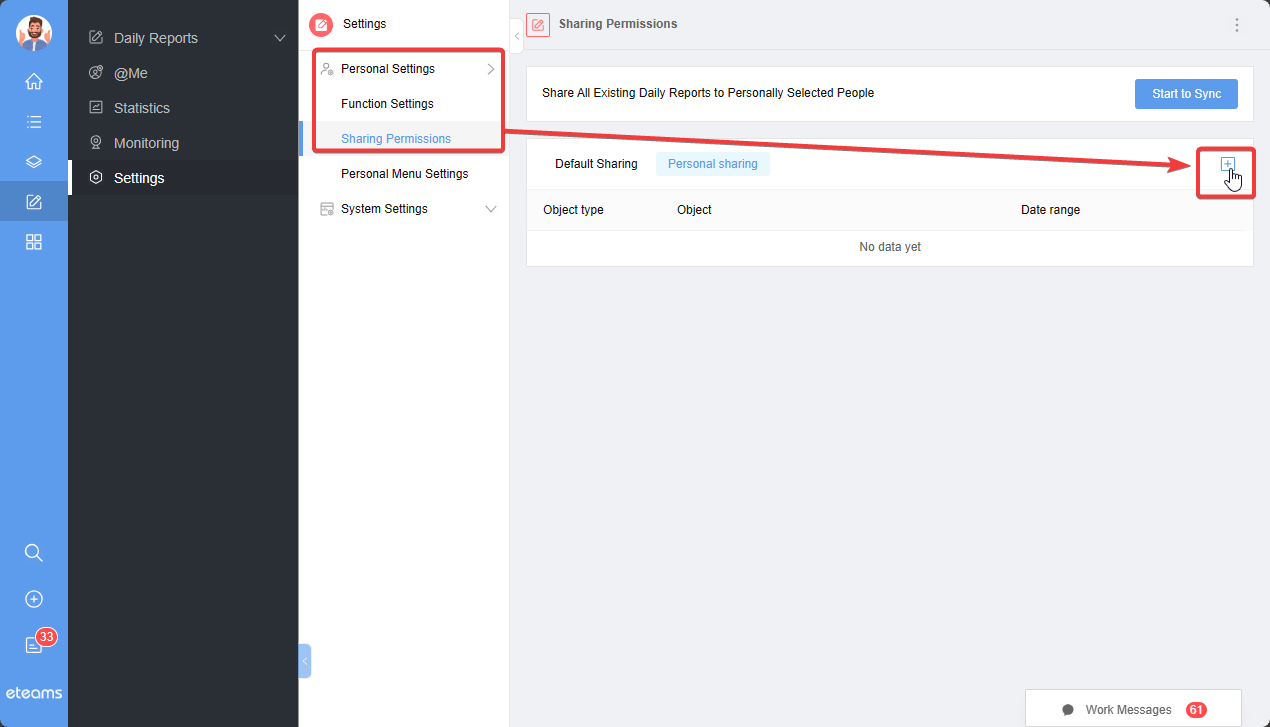
Sharing settings are divided into personal sharing settings and system sharing settings. System sharing settings are configured by administrators, while personal sharing settings can be accessed if personal sharing settings are allowed. You can view system sharing settings related to yourself and customize your personal sharing settings if the option to set them individually is enabled.
System sharing settings page:
Personal Sharing Settings Page:
Click on "Start to Sync" to update sharing settings for existing daily reports.