> For the complete documentation index, see [llms.txt](https://echelp.weaver.com.co/llms.txt). Markdown versions of documentation pages are available by appending `.md` to page URLs; this page is available as [Markdown](https://echelp.weaver.com.co/task-collaboration/batch-importing-tasks.md).
# Batch Importing Tasks
On the drop down menu of creating new task, select "Import".
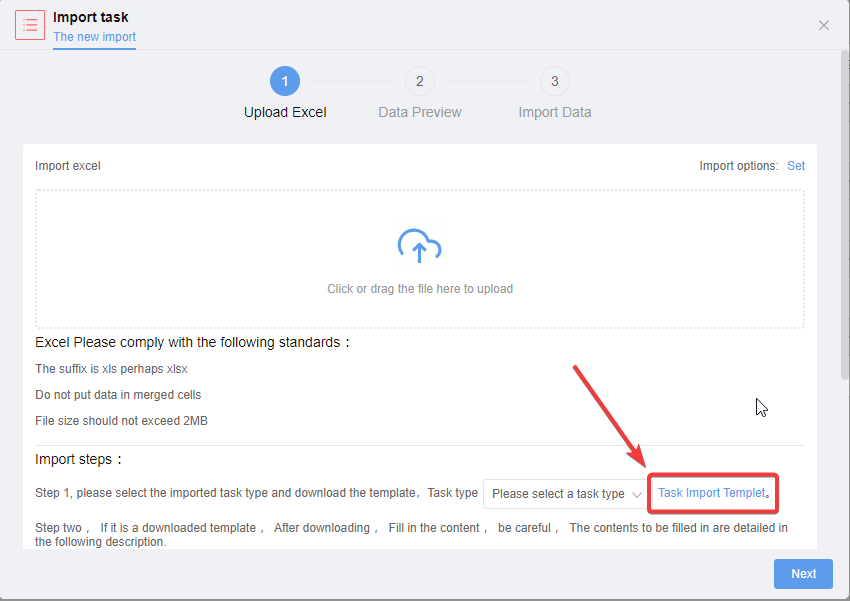
Click on the link to download the import Excel template for tasks.
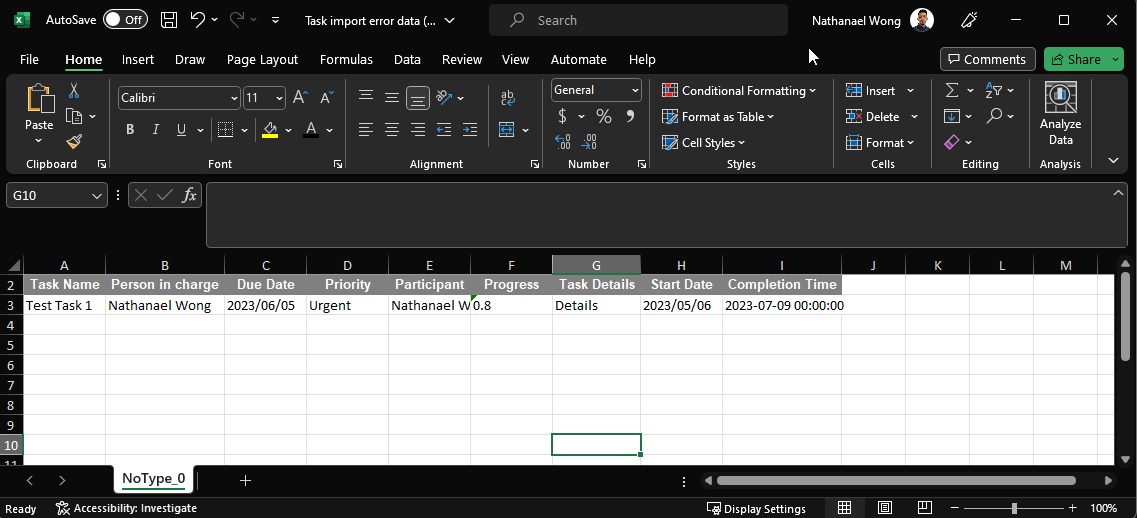
Fill in the data accordingly, the date format is YYYY-MM-DD.
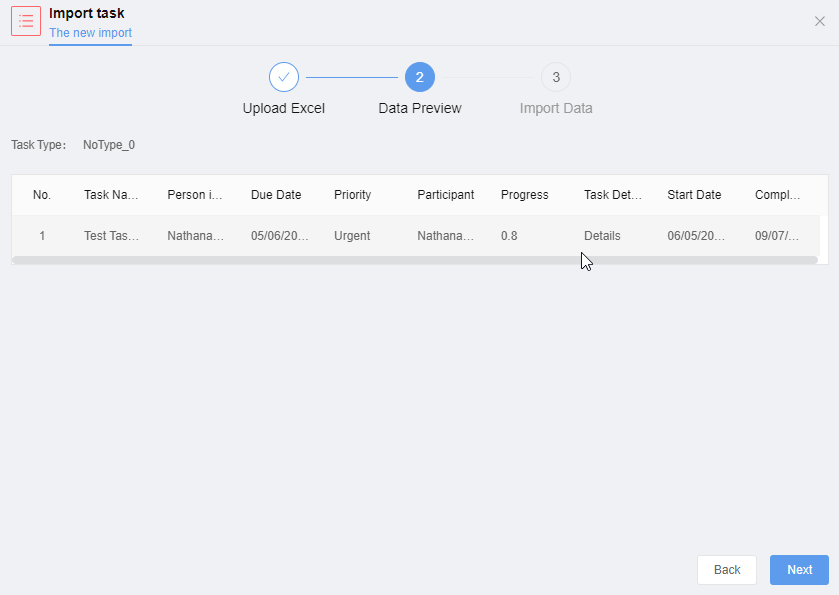
Upload the edited template and click "Next" to import the tasks.